
Rapid AI Prompt is the central component for your users to interact with AI based processing. – Yes, the core part still is the text input for the user to enter his/her question – and the streaming text output to show the response. But there is much more:
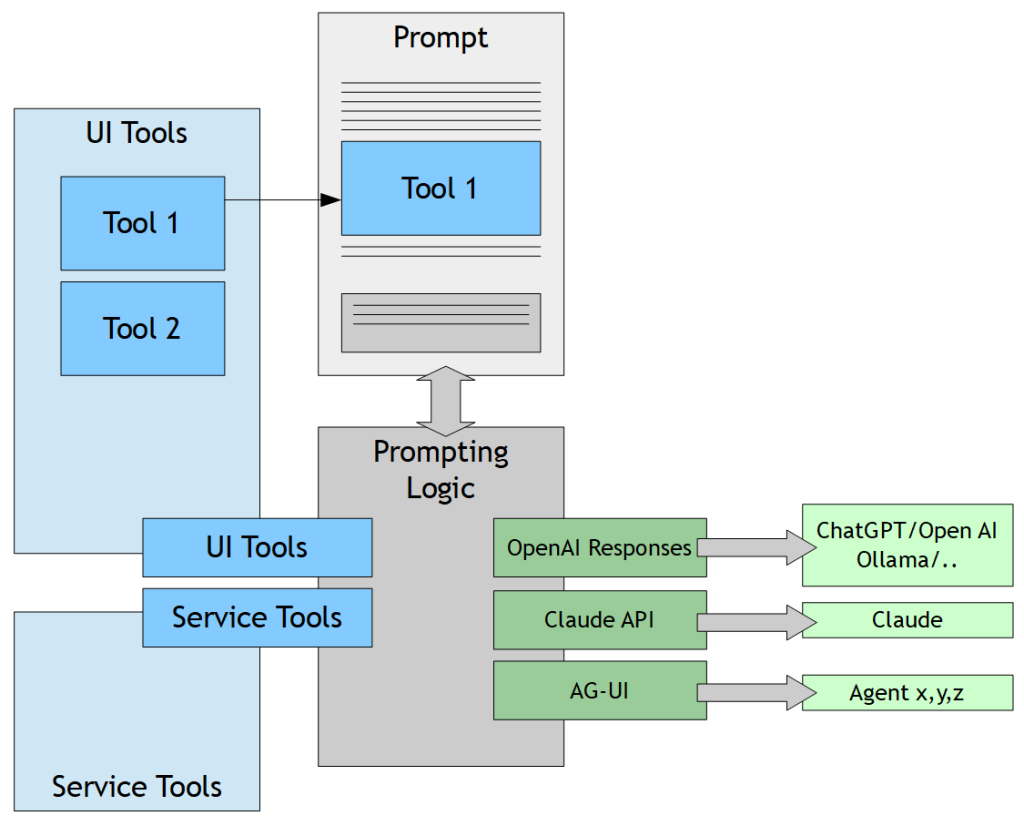
On the input side, the user can:
- Input text
- Upload attachments: graphics, sound, video
- Talk!
On the output side, the LLM responds in structured text (markdown format). – The LLM processing itself is contacted through some API processing and connects by http-interface to the LLM processing of e.g. ChatGPT, Claude, Ollama or to other agent systems.
Super-important: you can integrate own tools into the prompt processing. Theses tools can be “dark tools” (services) or “UI tools”. Each tool has some API – and is invoked by the LLM processing whenever the description of the tool matches a certain task to execute.
A “UI tool” is directly embedded into the prompt processing. Example:
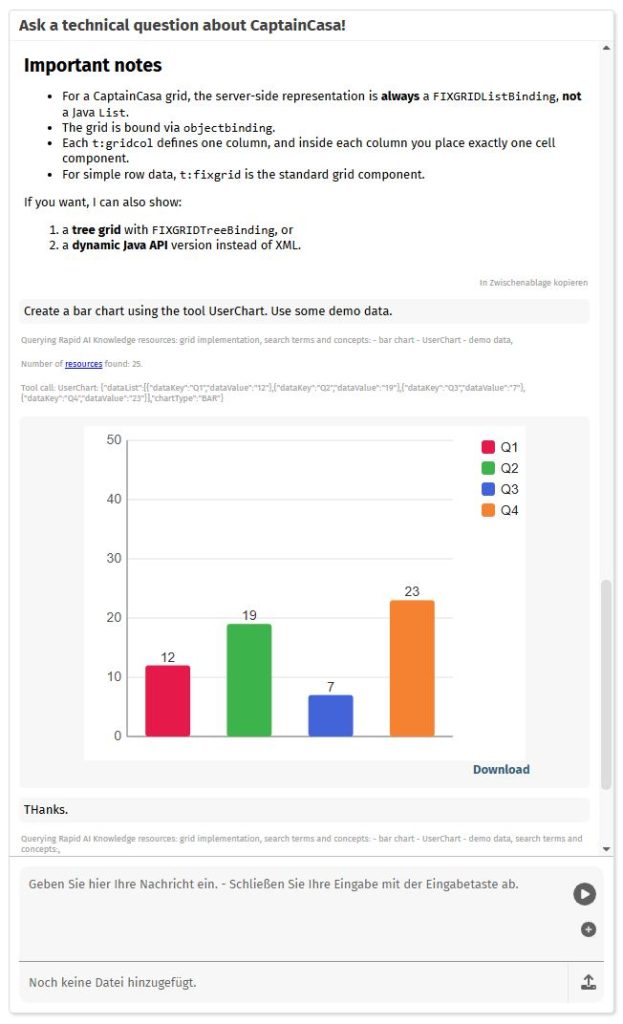
In the example a graphical tool was added that renders data into a chart. The LLM processing now uses this tool in order to perform typical chart drawings – instead of creating charts as JPG-image on its own. Advantage: the chart will now always look the same. And it provides advanced functions, e.g. tooltip support, reaction on user-selections, download of the chart, etc.
The tool drawing charts is only one, quite generic example. You may think about e.g. adding a stock list of available articles and integrate it into the prompt whenever the user should select some article to be delivered.
It is very easy to define own tools, both on the “dark side” and on the “UI side”. The only things you need to know: Java as programming language.
More technical information is available HERE.
