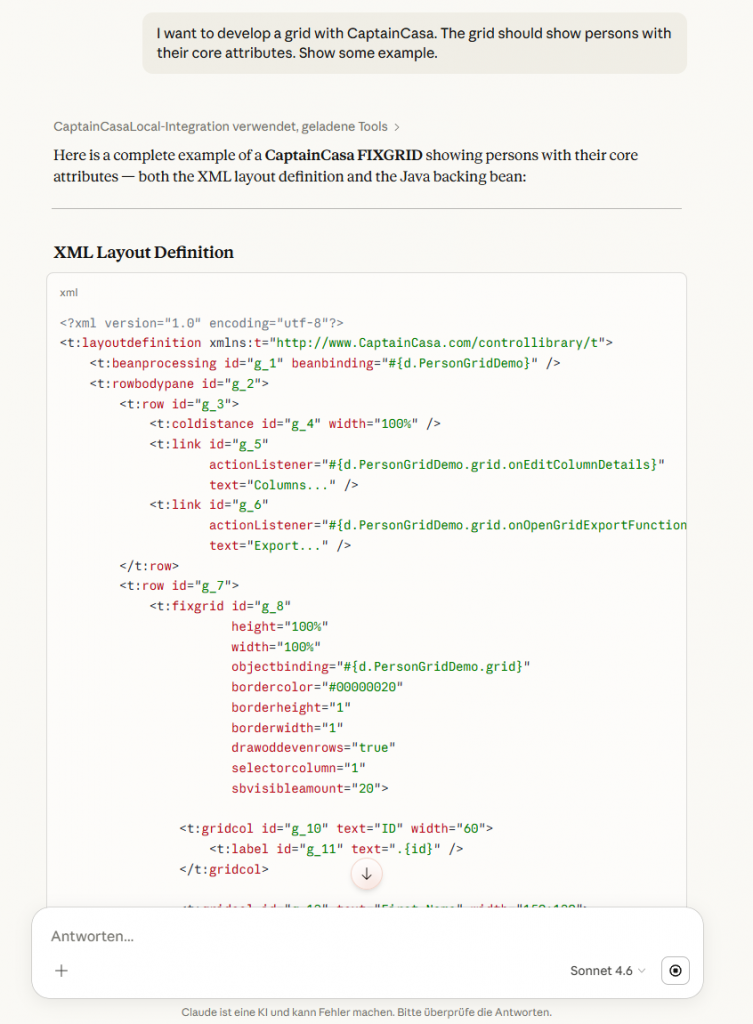
The CaptainCasa Knowledge Center (you may open it HERE) provides a “RAG Database” (you may also name it “Vector Database”) that contains all documentation and “little texts” that are available in the area of developing your application. This includes:
- All examples of the demo workplace, together with their XML and Java code.
- All texts of the component reference, all text behind the individual attributes.
- All texts of the Developer’s Guide.
- All texts of the JavaDoc for the server-side Java implementations.
All the information is internally sliced into small text fragments, that are optimized to be included in AI prompts: text fragments are short, have a clear context, do not contain formatting. – In the CaptainCasa Knowledge Center we provide an own prompt which directly embeds these texts into its processing. The base is an API to search for the texts by keywords.
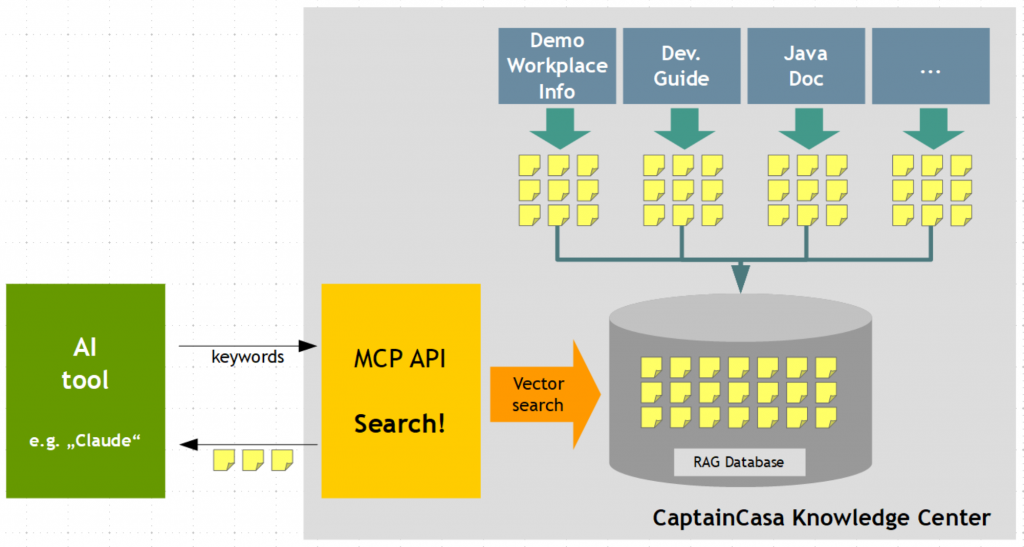
This API is now available as MCP API. – This means that your are able to embed the content of the Knowledge Center into any prompting/ AI-processing that supports the usage of MCP servers.
URL to the MCP interface
The MCP URL is:
https://www.captaincasa.online/ccda_kbox/mcp
Within the MCP interface CaptainCasa offers one so called tool which allows to search for information by passing a keyword collection. CaptainCasa will use these keywords, calculates the embeddings and then searches in its vector database for matching documents.
Example: Claude
When using Claude Desktop you may setup the MCP part of file “claude_desktop_config” in the following way:
{
"mcpServers": {
  "CaptainCasaOnline": {
    "command": "npx",
    "args": [
      "mcp-remote",
      "https://www.captaincasa.online/ccda_kbox/mcp"
    ]
  }
},
}
After changing the configuration you have to deeply restrat Claude desktop (meaning: completely stop Claude within the task manager…) – and then can ask Claude about CaptainCasa. It is important to tell Claude that a question is CaptainCasa related – so that it knows to request for information via the MCP interface. So embed the word “CaptainCasa” in your initial prompt.